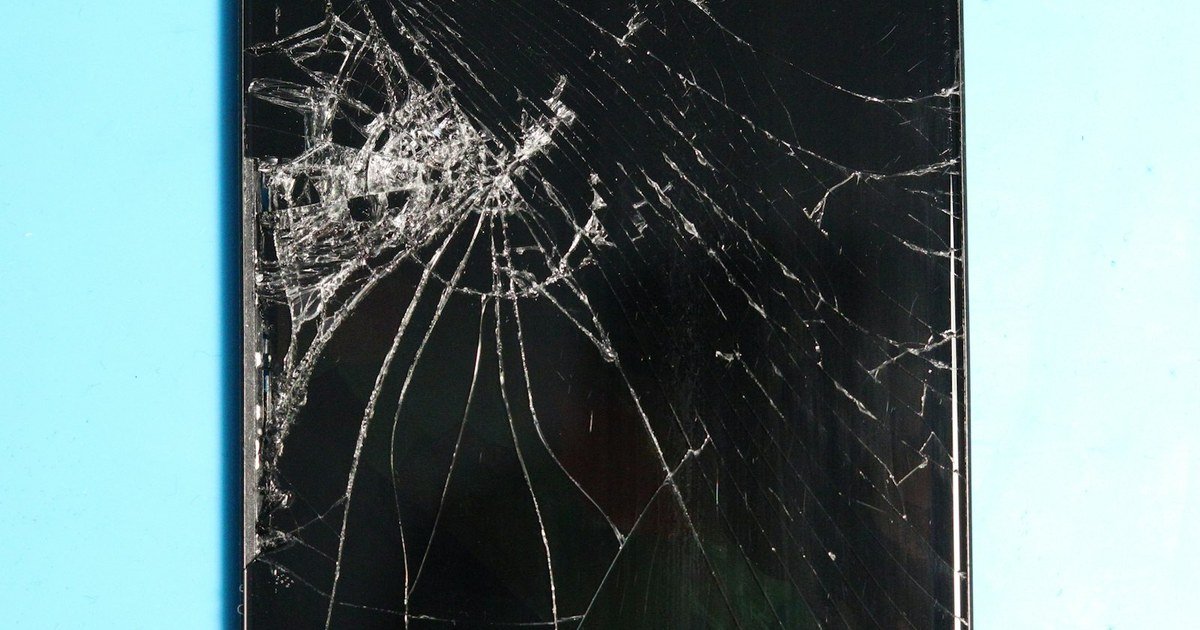
Cracked Screen? Here’s How to Tell If You Need a Full Replacement or Just a Repair
A shattered display doesn’t always mean the whole screen is dead. Here’s how to tell what’s actually broken — the glass, the touch layer, or the display itself — before you spend a rupee.
GoFixKart Team
GoFixKart Team
Drop your phone once and you'll know the feeling — that sinking moment before you even flip it over to check the damage. But a cracked screen doesn't always mean you need a full replacement, and a full replacement doesn't always mean the most expensive part either. Here's how to actually diagnose the problem before you buy anything.
First, separate the glass from the display
Modern phone screens are usually built in layers: an outer glass panel bonded to a display panel (LCD or OLED) underneath it, with a touch-sensing layer somewhere in between. A crack in the glass doesn't automatically mean the display or touch layer is damaged — which is why some phones keep working perfectly fine, cracks and all, for months.
- Only the glass is cracked, everything still works: the display shows colors correctly, touch responds accurately everywhere, and there are no dark spots, lines, or discoloration. In this case you may only need a folder/combo replacement rather than anything more invasive — though on many phones the glass and display come as a single fused unit, so check compatibility for your exact model first.
- Touch is unresponsive in patches or doesn't register at all: this points to touch-digitizer damage, even if the display underneath looks fine. You'll need a full display assembly with a working digitizer.
- Black spots, colored lines, or a dark patch that spreads: this is display damage — the LCD or OLED panel itself has been compromised. Glass-only repair won't fix this; you need a new display assembly.
- Screen is completely black but the phone still vibrates/rings: the phone itself is alive, but the display has failed entirely (or its connector has come loose internally). This usually needs a full replacement.
A quick test before you order anything
Open a solid white background (a blank note or gallery image works) and look across the entire screen edge to edge in good light. Any darkening, tinting, or shadowing that wasn't there before is a display issue, not just glass. Then run your finger slowly across every corner and edge — not just the middle — to check touch response uniformly.
OLED vs LCD makes a difference
If your phone has an OLED display, individual pixels can burn out or discolor without the glass being touched at all — so don't assume "no visible crack" means "no display problem." OLED replacements also tend to cost more than LCD ones, so it's worth confirming which type your model uses before comparing prices.
When in doubt, don't guess
Ordering the wrong part — a glass-only kit when you actually needed a full assembly, or the wrong panel type for your model — wastes both time and money, and mismatched parts rarely install cleanly. On GoFixKart, every listing is matched to the exact brand and model, so once you've identified the actual fault, finding the right compatible part takes a minute, not a guessing game.